Service area landing pages help businesses without storefronts improve visibility in local search by creating location-specific, helpful content for the areas they serve. The best-performing service areas pages in 2026 combine unique local relevance, strong trust signals, clear structure, and conversion-focused elements to attract both search engines and real customers.
Key Takeaways
- Service area landing pages help service businesses rank in locations where they operate without a physical store.
- Each page should be unique, not a copy-paste template with only the city name changed.
- Strong SAPs combine local relevance, helpful content, and clear service information.
- Trust signals like reviews, certifications, guarantees, and community involvement improve credibility and conversions.
- Internal linking, crawlability, and a clear site structure help search engines understand your service areas.
- Optimizing for both organic search and user experience can generate leads even when local pack visibility is limited.
- Group nearby locations strategically to avoid thin or doorway-style pages.
- In 2026, the best SAPs are built for people first, while also being easy for search engines and AI tools to understand.
A service area landing page is important for local businesses that help customers in different areas but don’t have a physical store. If you’re an HVAC company, plumber, or landscaper, these pages help you focus on certain areas. This can boost your ranking in searches locally and make it easier for potential customers to find you.
Trust signals, such as customer reviews, local feedback, and official certifications, will make the page more trustworthy. In this post, we’ll look at the key parts of a good SAP that helps improve your SEO and turns website visitors into regular customers.
Hiring expert local SEO services is crucial for ranking higher in Google Maps, as they ensure your business is fully optimized for local signals, visibility, and competitive positioning in your target areas.
What is a Service Area Landing Page?
A service area landing page is a location-specific webpage that helps businesses rank for services offered in areas where they operate but do not have a physical office. These pages:
- Target a specific city/region
- Designed for mobile/service businesses
- Optimized for local SEO queries
- Supports Google Business Profile visibility
Common examples of service area businesses are plumbers, cleaners, contractors, and other companies that help with home services. Mobile businesses, like car repair services that come to you or notary services that travel to clients, are great ideas for creating web pages that show where they operate.
When done right, these pages:
- Make sure your website has helpful content that uses the same words your potential customers are searching for.
- Give local customers a personalized experience that makes them trust your brand can provide the right services for them.
- Help local businesses with creative marketing in your community.
- Can be connected to from local business listings on sites like Google Business Profile.
- AI tools can get information from your content, helping your business show up in their results.
Also Read: 8 Powerful Multiple Location Google Map SEO Strategies
Understand Customers’ Point of View
Good service area landing pages focus on the customer. They talk directly to people visiting the website, answer their most important questions, and show the great benefits customers will get by picking your brand.
They should follow Google’s Helpful Content Guidelines by providing useful and trustworthy information that is mainly meant to help people, not just to improve their rankings on search engines.
Since you will be making these pages for the customers you want to help, your first tasks are to find out what local people need, and what words they use to search for those things online. You have a few ways to get this important business information:
- Surveys and polls that ask local people what products and services they want but are having trouble getting
- Look at your competitors’ websites to find out what products and services they offer and how they describe them
- Learning how to search online using tools like Answer the Public and AlsoAsked.com, or other keyword research tools from companies like Semrush and Moz
- Google’s smart features right in the search results, like the “people also ask” boxes. You can begin typing a phrase in a search engine and see what suggestions appear in the dropdown list. These features show how people are using Google to look for what you provide
- Train your team to note the words customers use when they reach out to the business. This helps improve staff understanding
- Social intelligence involves understanding the comments happening on platforms like Reddit or Instagram when people talk about brands, and services similar to yours
- Use AI tools to create lists of search terms and questions that people might type in when looking for the services you provide. Remember that AI can make mistakes, so don’t take this information as absolute truth
Write down what you find in your research so you can create your service area landing pages with facts about what nearby communities need and how they look for information.
You can check out a competitor’s service area page. This will help you see what they do well and what they don’t, based on your own findings, so you can make an even better page. But before you begin writing, we have some challenges to deal with.
Challenges that Service Area Businesses Face in Google’s System
Service area businesses are important for local shopping, but it’s understandable if you feel that Google doesn’t pay as much attention to them compared to regular physical stores.
What Does SAB Guidelines of Google Say
The SAB guidelines for showing your business on Google explain how Google sees small and local businesses and how they want these businesses to be shown in the Google Business Profile system.

Sometimes, Google’s views may not match what happens in real life, but it’s important to know their rules. This way, you can play it safe and avoid getting your listings taken down or suspended. Google has a special page with rules for SABs.
You can do what you want on your own website, but here’s what you should know about the Google Business Profile rules for SABs. You can use the business owner’s home address when giving Google your address, but don’t make separate listings for your employees’ homes.
Your business name on the listing should only be your actual business name. Don’t add anything extra, like the names of cities you serve. You can have one Google Business Profile for your main office in a specific service area.
If this office is where the business owner lives or a place where employees take company vehicles to customers, you need to give Google the address when you set up your GBP.
However, you should keep the address hidden because Google doesn’t want SAB addresses to be seen. If you run a business that combines an auto repair shop with roadside help, you can display your address and also specify the area you serve.
You can have a maximum of 20 service areas for each listing. Don’t make separate listings for each service you provide. For example, your HVAC company should have only one listing instead of three for your HVAC services.
If you have a chain or franchise with more than one location and different staff at each place, you can make a Google Business Profile for each location. Your service area usually shouldn’t be more than a two-hour drive from where you operate.
Google says that for some businesses, it might be better to have a bigger service area. Usually, service areas shouldn’t cross over, but Google makes some exceptions for franchises that are separate legal businesses with their own employees.
For example, a big plumbing franchise could have more than one location within a two-hour drive and can make a separate Google Business Profile for each one.
Why Google’s SAB Rules Can Cause Problems?
SAB owners often say in local SEO forums that their rankings in Google dropped right after they hid their address on their Google Business Profile. It feels unfair to be penalized for following the rules.
Some of this frustration comes from the fact that a business that follows the rules is getting pushed down in Google’s local search results and Maps. This is happening because competitors who are breaking the rules and show their addresses are ranking higher.
This problem of losing rankings after hiding a business address has been shown in studies, but the exact reason for this issue is not clear. There are two possibilities:
- If your business first registers at one address when you set up your Google Business Profile and then you move to a new place and hide your address, your ranking might go back to the original address
- There might be a Google bug that hasn’t been fixed in situations where the location or address hasn’t changed
The issue is important enough that local businesses might need to get real physical addresses to compete fairly with stores that have a physical presence. You often hear this advice in local SEO, but it doesn’t always work well, especially for small businesses.
How Service Area Landing Pages Help with this Issue?
Google Business Profiles can show a general area where your business operates, but they don’t show where your customers are located as clearly as physical stores, which can have a separate listing for each location.
Service area landing pages help by allowing you to connect with customers in each of your locations and provide them with the useful information they need. If your GBPs are missing something, your website can fill that gap.
It can be upsetting when your business doesn’t show up well in Google Maps and local listings. However, you can focus on getting more attention in regular Google search results by improving your service area pages.
What to Focus on for Your Service Area Landing Pages?
Usually, you should arrange your work like this:
- Make a Google Business Profile for the main office of your SAB
- Add a link from your GBP to the webpage for the service area in the city where your main operations are located
- From this service area page, connect to the other pages you make for nearby areas
- If you want to decide which landing pages to make first, find out the most important towns and cities where you offer services and begin with those
- Start adding more pages by making landing pages for smaller or less populated areas near you
- Make sure Google’s bots can access these pages so they can read and include them. Link to them from a main menu, from a key page on your website like a “where we serve” page or your homepage, and/or from a sitemap on your website
- You can then add links to these pages from other parts of the website, like product pages, about pages, and contact pages

Service area landing pages can’t change Google’s rules or fix any problems you’re having with local search visibility. However, they can help you get many useful leads from organic search results.
Service Area Landing Page Checklist 2026: 20 Must-Have Elements for SEO & Conversions
Service area landing pages are essential for businesses that operate across multiple locations, helping them improve search visibility, attract local customers, and generate more qualified leads.

| Category | Element | What It Does | Why It Matters |
| Branding | Logo | Displays your brand identity consistently | Builds recognition and trust |
| Branding | Slogan / Tagline | Communicates your core value proposition | Quickly tells users why you’re different |
| Navigation | Navigation Menu | Provides access to key pages | Improves UX and crawlability |
| Location Targeting | Service Area Headline | Highlights the city/region served | Signals relevance for local SEO |
| Contact | Contact Details | Phone, email, social, business name | Makes it easy to reach you |
| Conversion | Primary CTA Button | Book, call, request quote | Drives immediate action |
| Content | Unique Value Proposition (USP) | Explains why customers should choose you | Differentiates from competitors |
| Content | Services & Pricing | Lists services and costs (if applicable) | Filters qualified leads |
| Engagement | Orientation Video | Shows services in action locally | Boosts engagement and trust |
| Visual Proof | Gallery (Photos/Videos) | Displays real work and results | Builds credibility visually |
| Trust | Reviews & Testimonials | Shows customer feedback | Strong social proof for conversions |
| Trust | Certifications & Licenses | Displays credentials | Increases authority and trust |
| Trust | Satisfaction Guarantee | Promises service quality | Reduces customer hesitation |
| Local Relevance | Community Involvement | Shows local engagement | Builds emotional connection |
| Local Relevance | Map of Service Areas | Displays coverage visually | Helps users confirm eligibility |
| Education | “How It Works” Section | Explains process step-by-step | Sets expectations clearly |
| Conversion | Final CTA | Reinforces action at page end | Captures late-stage users |
| Trust | Awards & Associations | Highlights recognition | Strengthens authority signals |
| Marketing | Special Offers | Shows location-based deals | Improves conversion rates |
| Engagement | Review Request Section | Encourages customers to leave feedback | Supports ongoing reputation building |
- Logo: Your website logo should look like your ads in the real world to help people recognize your brand better. Make sure everything, like your company vehicles, uniforms, local ads, and social media, looks the same and sends the same message.
- Slogan: Highlight the main advantage that your customers get when they pick you. For example, your slogan can highlight how easy it is to use.
- Service area finder: Your main title should highlight the important places where your team can go to help customers.
- Navigation: Make sure your website has a menu that shows the most important pages and is the same on every page.
- Complete contact details: Write your full business name and the name of the city this page is about. Then, include all the ways customers can contact you. This can include phone calls, text messages, emails, and social media accounts.
- Orientation video: Boost user engagement on the service area landing page by adding a video that highlights the main services and benefits available in that city. Your video could show jobs finished in the city, workers doing their tasks, service vehicles reaching customers’ places, and so on.
- Button for booking: Make sure your main action buttons are easy to find at the top of the page and also appear at different places on the page. Make it easy for customers to take action when they visit your page. This could be things like scheduling an appointment, asking for a demonstration, getting a price estimate, placing an order, or filling out a form.
- Unique value/sales proposition (UVP/USP): Describe your catchy slogan with a clear explanation of the special benefits customers will receive by choosing your business. Use this part to talk about and fix your customers’ main problems and questions, while highlighting that these solutions are available in their city.
- Service pricing and menu: Write down all the services you offer, and if it makes sense, add clear prices. This way, you can attract the right customers and avoid talking to people who can’t pay for your services.
- Gallery: Service area businesses often have great projects to showcase, so having a picture gallery is a great way for customers to see what you can do for them. Show pictures of work done before and after, workers on the job, company cars and uniforms to build trust, and other uplifting content about the city we serve.
- Section for how it works: Tell people how your service operates, how they can do business with you, and what they can expect if they choose to hire you. You can use this part to show your knowledge, skills, licenses, and other information that helps build trust.
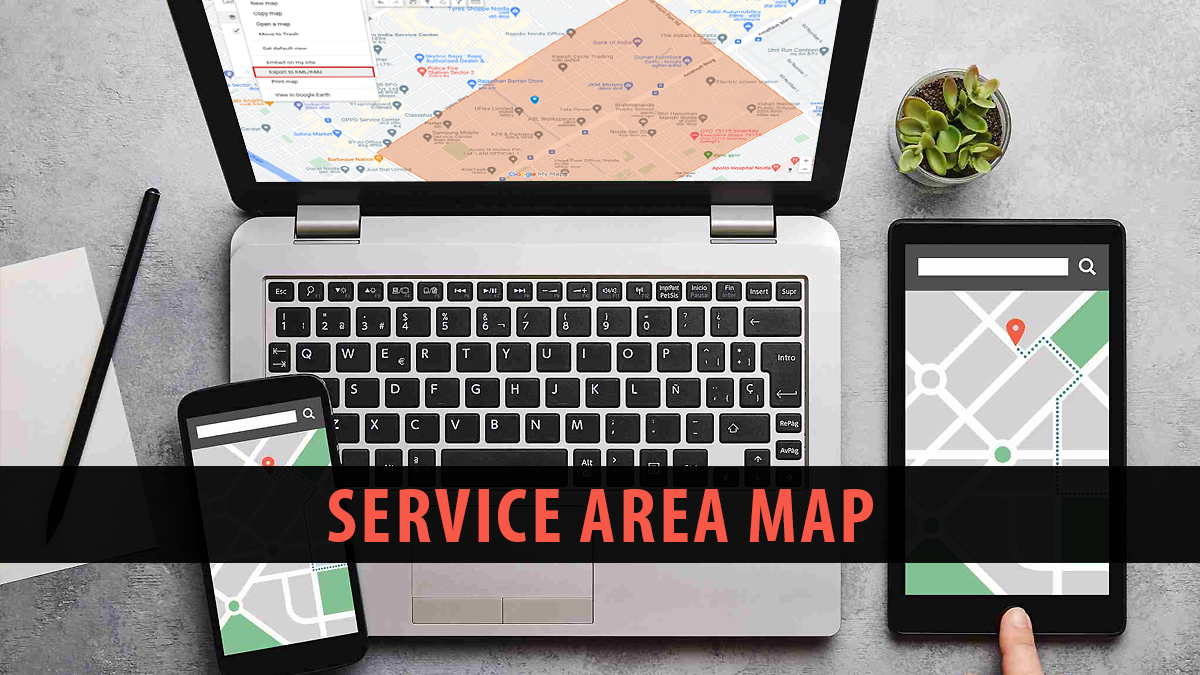
- Map: Even though each page will highlight a certain city, including a map of all the areas you serve has two advantages. First, it lets customers see that you can get to where they are. Second, it helps customers who ended up on the wrong page find out if they are located within your service area. It can also let them know they can tell their friends and family about your business in other nearby areas.
- Reviews: These are the most powerful types of content you can add to a landing page for a service in that city. This section can have reviews you’ve received on sites like Google Business Profile, Yelp, or Facebook. It can also include reviews and feedback you’ve gathered directly from customers. You can display customer ratings, written reviews, videos, and pictures of handwritten reviews.
- Review requests: Show icons of the review sites that are most important to you, so customers can easily leave a review on the platforms they like best. You can also add a link here for customers to share their comments directly. Don’t give rewards for reviews, because it breaks the rules of review sites and the law.
- Guarantee of satisfaction: Build customer trust and make your brand stand out by providing the best satisfaction guarantee around. Brands that focus on their customers have the natural benefit of gaining a good reputation, which can improve their rankings, increase their sales, and lead to more recommendations.
- Involvement in community: Connect your work to the city by explaining how your business helps the community. For example, charity support, scholarships, being involved in local events or helping to organize them, eco-friendly programs, or partnering with nearby businesses to promote each other. This part lets you explain how you’re linked to your city and why customers can feel happy about picking your business.
- Associations/awards: Make your brand stand out by showing any awards you’ve won in your city or groups you are part of. For example, a magazine about life in your community might give you a prize, or you could go to meetings of the local business group in your city.
- Related media: If your marketing plan includes being a guest on local blogs, podcasts, online news, or video channels, this is the place to showcase and link to your features.
- Special offers/events for your location: Share your sales, deals, coupons, discount codes, and other special offers that are available in that specific city.
- Final CTA: Always end your landing pages with a final message encouraging people to take action. Make sure to highlight the action you want customers to do the most, whether it’s making an appointment, calling you, or asking for a quote by filling out a form.
If you include all the things mentioned above, your service area landing pages will be very effective. However, there are additional steps you can take to make them even better. If you’re in a tough market and want to be noticed, these will help.
Advanced Features for a Service Area Landing Page
Buying features: If your business delivers items, make sure customers can order directly from each location’s webpage.
Question and answer section: Although your website has its own FAQ page, you can make good use of your research by adding a Q&A section that answers your customers’ most common questions on each service area page. This gives a great chance to improve the page’s content for many important phrases while also helping visitors.

Word-of-mouth/loyalty programs: Encourage customers to come back and refer others by offering loyalty and rewards programs.
Collecting customer contact information: Grow your audience by gathering email addresses and phone numbers from your customers on your service area pages. Provide a newsletter, coupons, discount codes, or other perks in return for this information.
Live chat: Provide quick help online with a live chat tool. It would be best to have real people working here for a better customer experience, but automated chatbots and AI can also help with extra support.
Tools and widgets: Use your landing pages for your service area to get people to sign up for your tools and widgets, if it applies. Your business might have different tools and features (like mortgage calculators, project estimators, virtual reality tools, etc.) that can be shown on these pages.
Job details: Highlight your job role in a certain city as a local employer. Make a list of the jobs you have available.
Networking: Share information by creating a local referral network in your city, so you can exchange leads with other local professionals. For example, a wedding hair stylist can help local clothing rental shops, caterers, florists, event venues, places of worship, and DJs grow their business by sending customers their way while benefiting from their recommendations. Make sure to vet the people or businesses you recommend, so your important customers have a good experience with them.
Why Service Area Landing Pages Matter for Local SEO in 2026
| Benefit | What It Means | Why It Matters |
| Visibility Without Physical Location | Helps businesses appear in search results even without a storefront | Essential for service-based businesses (plumbers, HVAC, etc.) |
| Improved Local SEO Rankings | Targets location-specific keywords (e.g., “AC repair in [city]”) | Increases chances of ranking in organic search |
| Better Relevance for Search Queries | Matches user intent with location-specific content | Helps Google connect your business to the right audience |
| Increased Topical Authority | Builds content around multiple service areas | Signals expertise across regions to search engines |
| More Qualified Leads | Attracts users actively searching in specific areas | Improves conversion rates |
| Reduced Dependence on Directories | Drives traffic directly to your website instead of platforms like Yelp | Helps you own your leads and avoid competition listings |
| Enhanced User Trust | Includes local reviews, content, and context | Makes visitors feel you understand their area |
| Scalable Local Presence | Expands reach without opening physical offices | Enables growth across multiple cities/regions |
| Supports Google Business Profile | Complements GBP limitations for service areas | Strengthens overall local SEO strategy |
| Better User Experience | Provides relevant, localized information | Improves engagement and reduces bounce rates |
Local Business Without a Physical Store
Many local businesses help their customers at home, at their shops, or in other places. They visit their customers instead of waiting for customers to come to them. There is no crowded store where customers go to a cashier. These businesses go to the location and finish the work there.
Traditional local SEO advice often focuses on creating location pages for physical stores, but this idea doesn’t work well for mobile teams. These pages help businesses have a digital presence in different areas without needing to set up a physical office in each location.
They help businesses show up in local searches by focusing on specific places, making them easier for potential customers in those areas to find. By using location-based keywords on these pages, businesses can reach more people and get more visitors to their websites.
Google’s Method for SABs
Google handles service area businesses in a special way in Google Business Profiles. A service area business might not show its address and instead say how far it serves, while a dine-in restaurant shows its address clearly.
SAPs help crawlers understand what they need, showing the right local information for each area. That helps Google match user searches to the right company. Service area pages help Google understand and organize local businesses better by including information about specific locations.
Since SABs usually don’t show a physical address, SAPs help by explaining the areas a business covers, making it easier for Google to see how far the business reaches. This helps businesses focus on local searches better, like “HVAC services in Phoenix,” making sure they show up for customers looking for services in those specific locations.
Creating Topical Authority
Well-organized SAPs help a company reach more people in their area, not just by having a GBP that shows up on Google Maps or in local search results. Imagine an HVAC company that works in four cities near Dallas.
If the website doesn’t have separate pages, it might have a hard time showing up in searches for Fort Worth, Arlington, or Garland. The website has special pages for each service area, which helps Google see that it is an expert in those places.
This method is especially useful for home service companies that want to get more calls from people in various towns. Creating clear and organized SAPs helps a business become more knowledgeable in its area, which also improves its overall SEO approach.
Better Local Rankings
SABs often ask why they don’t show up in the local 3-pack for some cities, even though they do a lot of work there. Google’s local pack usually highlights businesses located in the same city.
So, if your HVAC company is in Irving, you might not appear in the results for searches made in Dallas. Strong SAPs can help you get noticed more in regular results pages below the local listings.
Using good practices for Google Business Profile, these pages help you stand out in many local searches. By making specific SAPs for each city or neighborhood you work in, you show Google clearly where you are, which can help improve your position.
Increased Relevance for Specific Searches
People often search for things like “AC repair near me”. If your website only lists an address in Downtown Denver, a family in Boulder might not find you when they look for help.
Using local phrases like “AC repair services in Boulder” helps search engines understand what you’re talking about. You will begin to appear more often for that specific phrase and also boost your visibility in different areas.
Localized SAPs help businesses reach consumers who are looking for services in specific locations more effectively. By making pages with specific location words, more people can find your business if they are looking for services in a particular area.
Better User Experience and More Sales
A homeowner wants to know that you are familiar with the neighborhood. Service area pages can talk about local building rules or common weather patterns. This builds trust and makes visitors feel like you really care about them, not just about places far away.
You can show reviews from people in their area, so the page feels specially made for them. Making SAPs specific to the area by including local building rules, common problems, or weather trends not only improves your content but also helps potential customers connect with it better.
When homeowners see information that relates to their area, like local reviews or tips about their neighborhood, they feel more confident that you understand what they need. This personal touch helps create trust, making it more likely that a visitor will contact you for your services instead of going to a competitor.
Standing Firm Against Directories
When you look for plumbers or HVAC experts, you often see listings from Yelp, HomeAdvisor, or Angi. Creating well-designed SAPs on your website can help you get higher search rankings than big directories.
This way, potential customers will reach out to you or fill out a form on your site instead of going to someone else’s site. This means you gather leads directly instead of competing with many other professionals in the same listing.
By improving your own web pages with specific keywords and local information, you make it easier for customers to find and reach you directly without needing to search through other websites.
Also Read: 8 Practical Strategies for Proximity Optimization in Local Marketing
What Not to Do: Common Service Area Page Mistakes
| Mistake | What It Looks Like | Why It’s a Problem | How to Fix It |
| Duplicate Content | Same page reused with only city names changed | Google sees it as low-quality or spammy | Write unique, locally relevant content for each area |
| Keyword Stuffing | Repeating phrases like “plumber in [city]” unnaturally | Hurts readability and rankings | Use keywords naturally and include variations |
| Too Many Thin Pages | Creating pages for every small neighborhood or zip code | Can trigger doorway page penalties | Focus on meaningful locations and group nearby areas |
| Lack of Local Relevance | Generic content with no local references | Reduces user trust and SEO relevance | Add local insights, examples, and area-specific info |
| Missing Trust Signals | No reviews, certifications, or proof of work | Users don’t trust the business | Include reviews, licenses, guarantees, and awards |
| Weak or Missing CTAs | No clear action for users to take | Leads to low conversions | Add strong, visible calls-to-action throughout the page |
| Poor Internal Linking | SAPs not connected to other pages | Makes crawling and navigation harder | Link SAPs from menus, homepage, and related pages |
| Ignoring Mobile Optimization | Page doesn’t work well on mobile devices | Most local searches happen on mobile | Ensure fast, responsive design |
| Slow Page Speed | Heavy images or poor optimization | Increases bounce rate and hurts rankings | Compress images and optimize performance |
| No Conversion Tracking | Not tracking calls, forms, or leads | Hard to measure performance | Use Google Analytics, call tracking, and goal tracking |
Duplicate Content
One big mistake is creating pages that change only the city names but keep everything else the same. Imagine your website has 15 plumbing pages that all say, “We fix water heaters in [City], call us”.
Google might see this as unhelpful and not good for quality. Every city or area page should have different content, mention local facts, local rules, or special examples. If the page only has meaningless text, it is more harmful than helpful.
Having too little or copied content can really hurt how well your SAP works. Google’s algorithms are made to identify pages that have very similar or repeated content in different places. Using random text that doesn’t offer real information might actually harm your SEO efforts.
Keyword Stuffing
Have you ever seen a page that says, “Need a plumber in Toronto? Our plumber in Toronto is the best and can fix anything”. That sounds awkward and like spam. Instead, put the city name in the headings, use it once or twice in the main text, and maybe once in the call to action.
Add in similar words or mention different areas in the city. That way is easier for the reader to understand and feels more natural. Using too many keywords can make your SAPs look like junk and less effective.
Using the same word or phrase too many times on a page can make it hard for users to read and can also worry search engines. Make sure the page is easy to read and also works well for local searches.
Too Many Service Areas
Some businesses create lots of pages for each neighborhood in a big city or make many similar pages for each zip code within a 10-mile area. This method can create “doorway pages,” which Google does not support.
Focus on the areas that really help your business. If you cover a large area, try to group some places together instead of making a separate page for each small part. Quality is more important than quantity every time.
Not Having Trust Signals
If you are an HVAC company that is licensed and insured in the state, say so. If the local chamber of commerce sees your plumbing services as good, make sure to remember that you are a member.
Display important badges or partnerships. Next, include reviews from actual customers. People want to see evidence that you’re a real business, not just a temporary one. If you don’t have signs of trust, potential customers may ignore your SAPs.
Displaying your industry certifications, partnerships, and local connections makes you look trustworthy and helps visitors feel confident that you are a real and dependable business. Including customer reviews, success stories, and trust symbols on each service page helps build your reputation.
To Conclude
Making a great service area landing page is not just about showing your services by location. It’s about providing useful information that is specifically designed for each area, focusing on their unique needs.
By not making common mistakes like having the same content on different pages or using too many keywords, you make sure your pages offer helpful and real information for customers. Including important signs of trust, like local certifications, reviews from customers, and partnerships, helps create credibility and trust with visitors.
Making your SAPs work better on mobile devices and for local searches helps users enjoy their experience more and increases the chances of them making a purchase. A well-tuned SAP is a great tool for getting more customers and expanding your business in your chosen markets.
FAQs
Can service area landing pages be used for big service areas?
Yes, SAPs are great for businesses that operate in big areas. Instead of making different pages for each small town or neighborhood, you can put similar places together on one page. For example, if you include several cities in one metro area, make one plan that focuses on the whole region. The main goal is to make sure that each page feels connected to its area, providing useful information, local reviews, and services that relate to that location.
How can I prevent having duplicate content on service area landing pages?
Duplicate content happens when your service area pages have the same or very similar text. To prevent this, make sure to write different content for each page by mentioning local topics, services, or customer experiences that are particular to that area. Don’t use general phrases like “We serve [City]”. Instead, provide helpful information with local tips, examples, or useful facts. This plan improves search engine rankings and makes the experience better for users in different areas.
Can service area landing pages help me compete with local listings?
Yes, service area landing pages can help you be noticed more than big websites like Yelp or HomeAdvisor. By improving your SAPs for local searches, you make it easier for customers to find your business directly, rather than having to compete with many other companies on another website. SAPs help you focus on specific areas with tailored content and important keywords. This gives you an advantage in appearing higher in local searches and getting direct leads, without the mess of directory listings.
How should I organize a service area landing page?
Each service area landing page should be organized with clear and useful information that relates to the specific area it focuses on. Begin by introducing the place and the services it provides. Provide clear information about the local situation, problems, or rules that your business deals with. Share reviews or stories from local customers to help build trust. Make sure the page works well on both computers and phones. Finally, add a clear call-to-action and your contact details to get people to take action.
How can I check how well my service area landing pages are doing?
You can check how well your SAPs are doing using Google Analytics and Google Search Console. Keep track of things like the number of visitors, how many leave without interacting, and how many take action to understand how each page is doing. Watch your local rankings for each area you want to focus on, and change your content if necessary. Also, keep track of when people complete goals (like filling out forms or making phone calls) to see how well the SAPs are converting visitors into leads.